
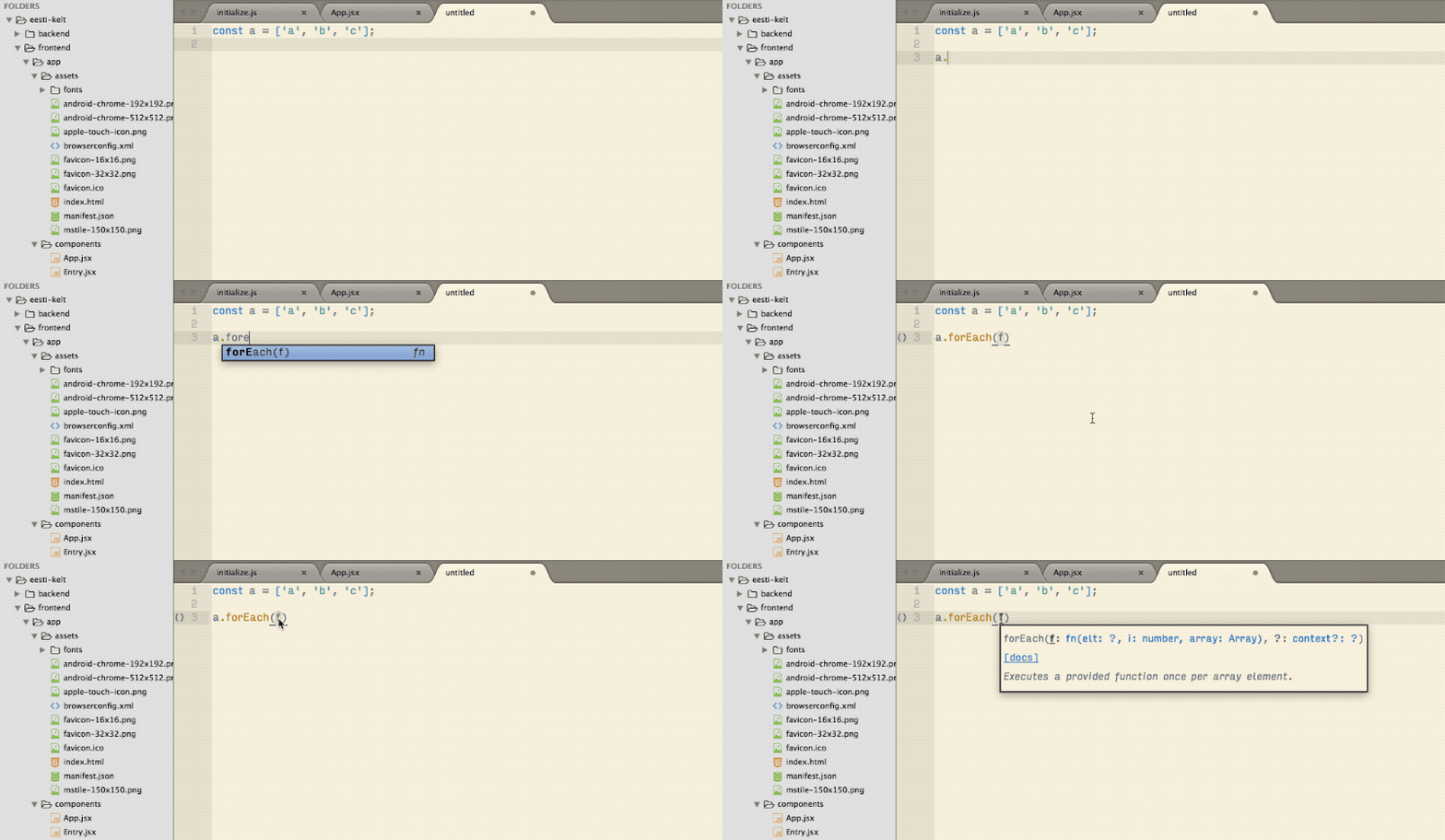
Sublime is great and for many still the best text editor available. But out of the box, it lacks some features that modern competitors have already built-in. Plugins help to stay ahead but it’s a hassle to keep up with all of them. In order to help you, I compiled a list of plugins I use for my daily frontend web development.
If you know plugins that should be on this list, just open an issue. 😉
This list was shared by (among others):
Table of Contents
1. Plugins
🗃 i. Administrative
These plugins are kind of ‘meta’ because they are not concerned with writing code.
- Package Control: This package enables you to install other packages. Since build 3124, you can install it within Sublime via Tools ➡ Install Package Control.
- AdvancedNewFile: A better way to create new files. For instance, it automatically creates a folder when needed.
- SideBarEnhancements: Adds features such as renaming to the sidebar.
- A File Icon: Add icons to the files in the sidebar.
- ProjectManager: Organizing project files by putting them in a central location.
- TodoReview: Scans files for ‘TODO’s and more.
- FindKeyConflicts: Key conflicts are inevitable when you use a lot of plugins.
- Editor Config: Maintain consistent coding styles between different editors.
- Sync Settings: Keep Sublime settings in sync via Github-Gist.
- Package Syncing: Keep all you settings, packages etc in sync via Dropbox and co
- SFTP: Transfer files to a server via FTPS and SFTP. The plugin is like Sublime Nagware. You can use it for free but get a reminder to buy a licence.
- TerminalView: A Linux/macOS plugin for Sublime Text 3 that allows for terminals inside editor views.
⌨️ ii. General
Useful for all languages.
- All Autocomplete: Indexes all open files for auto-completion.
- BracketHighlighter: Improves the already built-in highlighting.
- Terminal: Open Terminal with current working directory set to the directory of the open file on a hot key.
- AlignTab: Align your code by ‘:’, ‘=’, ‘=>’, ‘%’, ‘’, ‘|’ or your own RegEx.
- GitGutter: Displays modified lines in the gutter (left to the line numbers).
- Git: Includes some git commands.
- GitSavvy: Full git and GitHub integration.
- Gitignore: Fetches templates for the .gitignore provided by Github.
- Local History: Keep a local history of your files.
- DashDoc: Open current selection in Dash on a hot key.
- Text Pastry: Extend the power of multiple selections with features such as incremental numbers and date ranges.
☕️ iii. Javascript
- Tern for Sublime: Static Javascript code analyzer with auto-completion, function argument hints, ‘go to definition’ and more. The installation and configuration can be a little bit tricky but it’s worth it. Choose Tern over SublimeCodeIntel (unmaintained) and JavaScript Completions (buggy).
- JavaScript Enhancements: Another plugin that gives auto-completion and alltogether improves the Javascript development environment.
- ImportJS: Automatically manage your module imports.
- JavaScript & NodeJS Snippets
- JsPrettier: Integration of Prettier, the opinionated JavaScript formatter.
- Console Wrap: Fast way to log to console.
- DoxyDoxygen: Generate code documentation blocks for your functions.
- Babel: Syntax definitions for ES6 JavaScript with React JSX extensions.
- TypeScript
- Elm Language Support
🎨 iv. HTML & CSS
- Sass: Sass is a preprocessor extending CSS and this plugins adds the language support.
- SassSolutions: Auto-complete for variables and mixins from your ‘settings.scss’ file.
- CSS3: Replaces the built-in CSS support with a more up-to-date one. Includes cssnext support. Follow the instructions to make it work properly.
- Emmet: Allows you to write HTML very fast. You have to learn their way though.
- Color Highlighter
🔥 v. Linter
Linters help you to spot mistakes in your code early on. In order to make them work properly, check the instructions in the packages. For some, you have to install additional tools.
- SublimeLinter
- SublimeLinter-HTML-tidy
- SublimeLinter-contrib-stylelint: For CSS. Choose stylelint over SublimeLinter-CSSlint.
- SublimeLinter-contrib-SCSS-lint
- SublimeLinter-contrib-ESLint
- SublimeLinter-flow
- SublimeLinter-contrib-elm-make
- SublimeLinter-JSON
👥 vi. Other
2. Themes
The built-in themes do not support recent syntax such as ES2015. In the following, I list some I have test and do it.
- Solarized Color Scheme: Replaced the outdated built-in one
- The two theme installed by Babel: Monokai Phoenix and Next
- Oceanic Next Color Scheme
- ayu
- LightScript
- Material Theme
- Boxy Theme
3. Settings
{
    // Disallows approving auto-complete suggestions with 'enter' to prevent ambiguous situations.
    // You have to get used to it but also Sublime strongly recommends it.
    "auto_complete_commit_on_tab": true,
    "auto_complete_delay": 0,
    // Allow auto-complete suggestion within snippets.
    "auto_complete_with_fields": true,
    "color_scheme": "Packages/Solarized Color Scheme/Solarized (light).tmTheme",
    "create_window_at_startup": false,
    "draw_white_space": "all",
    "ensure_newline_at_eof_on_save": true,
    "font_face": "Input Sans Narrow",
    "font_size": 15,
    "highlight_line": true,
    "ignored_packages":
    [
        "CSS",
        "Vintage"
    ],
    // Highlights the indentation of the current scope.
    "indent_guide_options":
    [
        "draw_normal",
        "draw_active"
    ],
    "indent_to_bracket": true,
    "rulers":
    [
        80
    ],
    "tab_size": 2,
    "translate_tabs_to_spaces": true,
    // NB: the following could lead to a lot of (unnecessary) changes in other's peoples files
    "trim_trailing_white_space_on_save": true,
    "word_wrap": true
}

This work is licensed under a Creative Commons Attribution 4.0 International License.
This post appeared first on my GitHub account